
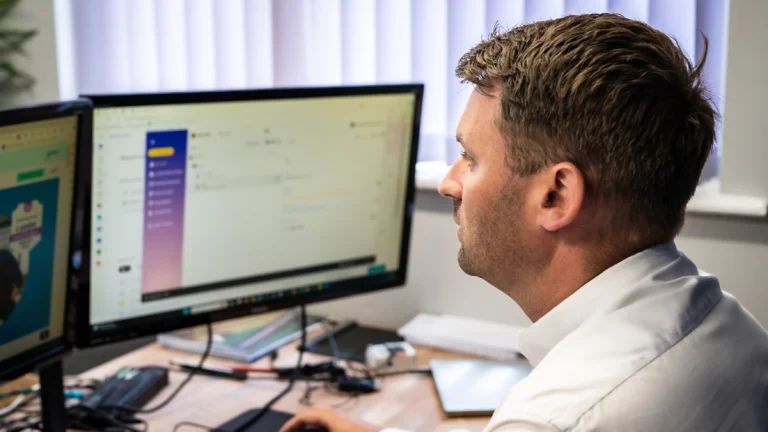
For many businesses in Yorkshire, technological teething problems and long-standing gripes are left to linger until they’re impossible to ignore. Slow business computers, printers that work 25% of the time, or poor Wi-Fi strength can be easily shrugged off at first, but over time, and combining more than one problem, these minor hinderances compound to become a major limiting factor in your business’s growth
If you recognise that feeling of putting off upgrading or improving your tech, then this article could be the eye-opener you need to help your business operate the best it can. In this article, we'll explore the five most common signs we see that a business's IT is holding it back, the impact outdated technology can have on growth and company culture, and how proactive IT support can help keep your business moving forward.
Why Outdated IT Can Be a Barrier to Growth
The bottom line is that if your business is relying on legacy systems, you’re almost definitely missing out on improvements to efficiency, productivity, customer service, staff satisfaction and profitability. Yes, it really is that important.
Here’s an example. Imagine your sales staff are still monitoring sales pipelines through spreadsheets. Information is all inputted manually. Follow up emails? Manual. Leads are ‘scored’ only from memory.
Staff become frustrated with this outdated way of working – they all have friends that work with CRMs to help organise their sales efforts. They tell them that their systems save them hours of labourious admin each week, while in your office, follow up emails are forgotten about, and a promising lead just went to your biggest competitors.
Again, this might sound hyperbolic, but technology in the modern workplace moves quickly, and you could be missing out on some major improvements to your operations that save time and money without even realising it.
It’s easy to take your finger off the pulse when it comes to keeping up with the latest tech trends, but when you work with an IT partner like Flyford, we ensure that your tech meets or exceeds your industry standards and make upgrading your tech stress-free every step of the way.
Here are 5 common signs that your IT could be holding your business back:

There’s no smoke without fire, after all. If your staff are frequently complaining that their PCs are taking too long to complete day-to-day tasks, your bespoke system constantly freezes, or your network takes forever to share files – it might be time to take a look at upgrades if you want to avoid lost productivity, employee frustration and reduced efficiency. After all, why wouldn’t you?
There’s plenty of examples of outdated technology that can cause frustrations and inefficiencies in your teams, including:
Aging hardware – as a good rule of thumb, we recommend a hardware audit every 4 years, which may mean replacing full systems or individual components of your staff’s machines. Without this, machines can be left behind and cause major efficiency and security issues.
Poor network performance – If your team has seen major growth in recent years but your connectivity setup has stayed the same, it might be worth a review on what’s working, and what’s not. If your servers aren’t equipped to deal with your staff, your cloud storage can’t handle your numerous files, or your bandwidth just isn’t cutting it, productivity will almost certainly drop.
Legacy software – Times change, things move on. So should your systems. If your business is running the same ecommerce tools from 2006 because ‘if it ain’t broke, don’t fix it’, you should really listen to your teams’ requests for upgrades and bring your tech up to the current decade.

One of the biggest red flags when it comes to your IT setup slowing down your business is that issues are consistently being fixed or patched. If you already partner with an IT provider, this might take the form of an increase in support requests, repeated ticket submissions, or an increased bill for ad-hoc fixes. In general, you might see more unplanned downtime and disruptions to day-to-day tasks.
At first, it’s frustrating, a minor inconvenience at most. But over time, the additional IT costs, the reduction in work output, and the lost revenue opportunities compound into one big old IT problem that needs a major overhaul. According to a study from the University of Copenhagen, on average, employees waste 11-20% (up to a full day of work per week) on fixable IT problems.
Instead, we recommend partnering with an IT provider, like Flyford, that focuses on proactive system management rather than reactive. This means regular audits, health checks and reviews of your infrastructure that give you insight into where you need fixes, where opportunities are for upgrades, and even where you could be saving money with more efficient processes and systems.

A great way of putting the robustness of your network and setup to the test is in your ability to access systems and data from outside the office. Can you access all the files you need to via VPN? Is your device secure when away from the office? Can you still collaborate with colleagues as if they’re sat right next to you? If you answered ‘no’, ‘I’m not sure’, or ‘VP-what now?’ to any of the previous questions, it might be time for an infrastructure review.
Regardless of your remote working policies, evaluating whether or not your staff can access their files, software, and network also gives you insight into your security and your setup as a whole. Having this all aligned to industry standard allows workers to access what they need if they’re working on site, if the office isn’t available due to renovations, or simply as a benefit to boost recruitment prospects.
If your business is really looking to be brought into the modern era, take a look through our cloud services pages. When your business harnesses the power of the cloud, storing files, collaboration tools, and business systems on remote servers, your teams can collaborate efficiently remotely, across sites, and even across the globe.

With the rise in AI capabilities, cyberattacks on businesses of all sizes are more prevalent than ever. You might be hearing more and more about the risks of running your business unprotected, or without appropriate measures in place. While we’d love to tell you that businesses can still get by on a hope, a dream, and an out-of-the-box antivirus, unfortunately that’s simply not the case.
There are many components that go into an effective cybersecurity strategy – if you don’t know where to start, take a look at our blog post: The Top 10 Cybersecurity Mistakes we see Small Businesses Make as a Managed IT Provider here.
As a quick assessment, if your business has:
Then it’s vital to reassess your cyber security measures. Without proper protections in place, your business is exposed to risks of financial loss, reputational damage, and compliance concerns. We know getting things right is an additional cost in an already difficult climate, but without it, a successful cyberattack could be the thing that closes your doors for good. According to VikingCloud’s 2025 report, 1 in 5 SMEs will go out of business within 6 months of a successful cyberattack.Whether you work with Flyford to manage your cybersecurity or you get things up to speed in-house, the important thing is making sure you’re protected. If you’d like a free cybersecurity audit on us, get in touch.

Most businesses aim to grow, but if your IT infrastructure isn't built to support that growth, it can quickly become a bottleneck. If your business IT isn’t primed for your growth, it could be a limiting factor in the feats you could be achieving.
If you’re finding:
Then it might be time for a rethink in your IT operations strategy. Continuing with inefficient tech can cause growth bottlenecks, increased operational costs, and reduced agility. Just one solution to this problem is working with an external IT partner, like Flyford, that can review your current positioning, and plan and implement short- and long-term solutions to ensure that your business is optimised for growth. With proactive IT support, custom workflow solutions [LINK], collaboration tools, and continuous system development can save your business money, while helping your teams work better, together.
Final Thoughts

Technology is now a crucial part of almost every modern business and, with the right partners and systems in place, can be a major enabler of growth, not a barrier to it. At times, it can seem like a major mountain to climb, to overhaul old systems and rethink how your business operates. But, with the right plans and priorities in place, your business can be working smarter and more efficiently in no time.
The challenge with outdated technology is that the impact is rarely immediate. Instead, inefficiencies, security risks and productivity issues build gradually over time until they begin affecting profitability and growth. By regularly reviewing your IT infrastructure and addressing problems proactively, you can ensure technology remains an asset rather than an obstacle.
If your business is experiencing any of these warning signs, addressing them now could improve productivity, strengthen security, and create a stronger foundation for future growth. And of course, if you need assistance in implementing solutions to these red flags, get in touch with one of our friendly and helpful team members at Flyford Connect.